Why a cloud computer
Give your agent a computer.
Not yours.
An AI agent working on your laptop can see everything you can, stops when you close the lid and does one thing at a time. On its own cloud computer, it's safer, faster and never in your way.
Six reasons it belongs in the cloud.
What changes when the agent stops borrowing your computer.
Your files and passwords stay yours
An agent on your laptop can open anything you can: documents, keys, saved logins. A box only sees its own workspace.
Mistakes stay in the box
A wrong command can't touch your machine. If something goes badly, throw the box away and start a clean one.
It keeps going when you close the lid
Long jobs run overnight in the cloud. Your laptop can sleep, travel or run out of battery.
Ten jobs at once
Give every task its own computer and run them side by side, instead of one at a time on yours.
Same clean setup every time
No installs, no clashing versions, no 'works on my machine'. Each box starts ready.
Watch from anywhere
Follow along from any browser or your phone, and let a teammate look in too.
Your laptop vs its own computer.
The same agent, in two places.
Sees your files and logins
On your laptopYes, everything you canOn FullsendAIOnly its own workspaceA bad command can
On your laptopDamage your machineOn FullsendAIOnly affect its boxWhen you close the laptop
On your laptopIt stopsOn FullsendAIIt keeps workingJobs at once
On your laptopOne, sharing your computerOn FullsendAIAs many boxes as you startSetup
On your laptopInstall tools yourselfOn FullsendAIReady in the boxYour computer's speed
On your laptopSlowed down while it worksOn FullsendAIUntouchedRecord of what it did
On your laptopWhatever you rememberOn FullsendAIWatch live and rewind
| Question | On your laptop | On FullsendAI |
|---|---|---|
| Sees your files and logins | Yes, everything you can | Only its own workspace |
| A bad command can | Damage your machine | Only affect its box |
| When you close the laptop | It stops | It keeps working |
| Jobs at once | One, sharing your computer | As many boxes as you start |
| Setup | Install tools yourself | Ready in the box |
| Your computer's speed | Slowed down while it works | Untouched |
| Record of what it did | Whatever you remember | Watch live and rewind |
Sandboxes anyone can use.
Other sandboxes are built for developers to wire up. Ours is built for whoever has the work.
Nothing to install
No SDK, no Docker, no keys to set up. Open a chat and the agent has a computer.
A real screen
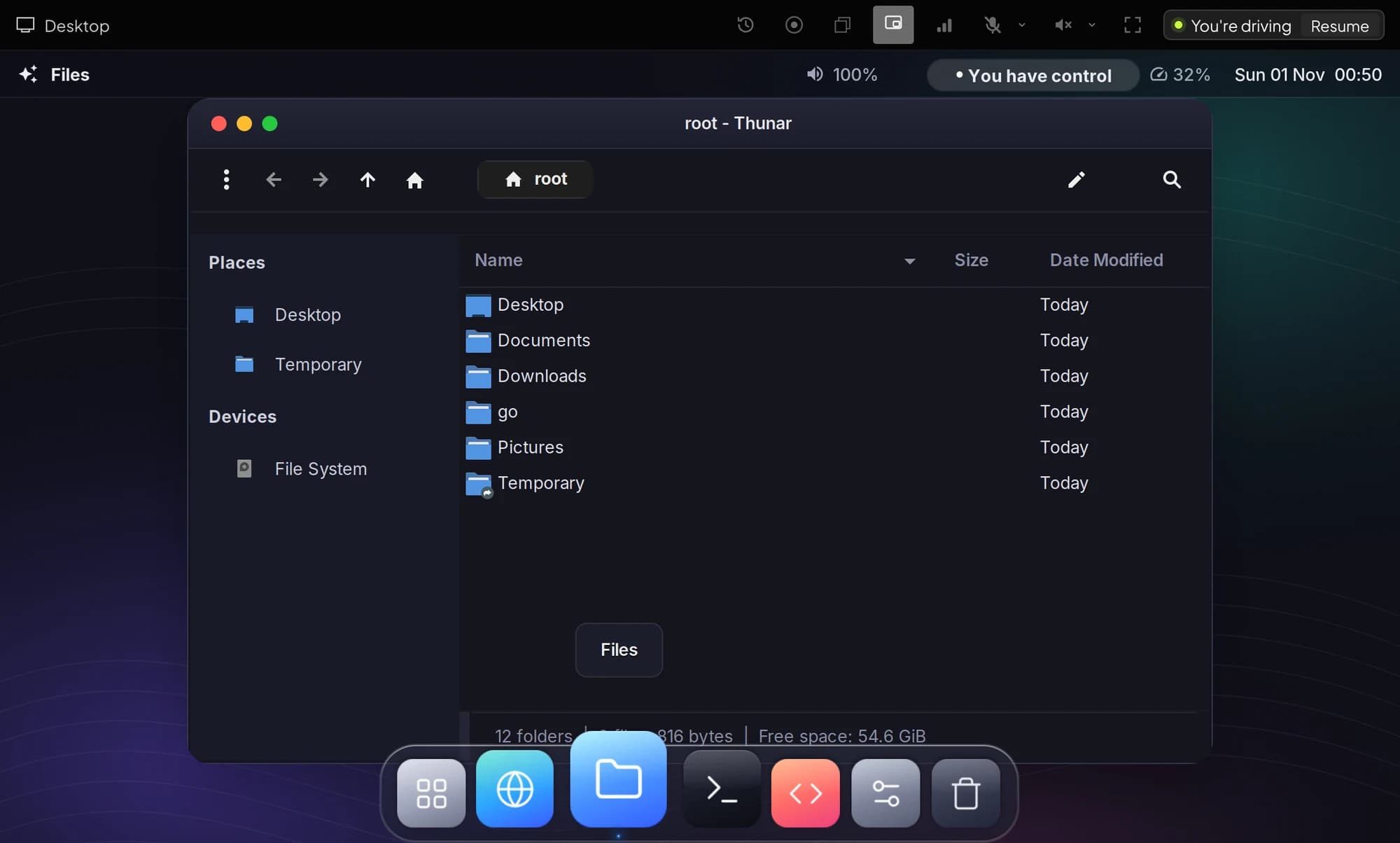
A desktop you can see, not logs. Watch the agent click, type and scroll.
Take over with a click
Grab the mouse and keyboard, fix something, hand it back.
Rewind like a video
Scrub back through any run to see exactly what happened.
Save, sleep or keep on
Throw it away, save it for next time, or keep it running around the clock.
Any model
Pick the model per task and switch mid-chat, on one key.
Questions.
About running agents in the cloud.
The agent's work runs on a cloud computer next to fast networks, so browsing and downloads are quick. You only watch a video stream of its screen, which works on ordinary connections.
Upload what the task needs to the workspace, or let the agent fetch it from where it lives. It never has your whole disk.
Sign in yourself in the live view; the agent carries on in that session without seeing your password. Save the workspace to keep the session.
Each box is its own sandbox with its own files and network, and saved workspaces are encrypted with a key for each snapshot.
Give your agent a computer of its own.
Add a card or credit to start. You only pay while your agent works.
Get started